 Field Day
Test any web form in one click.
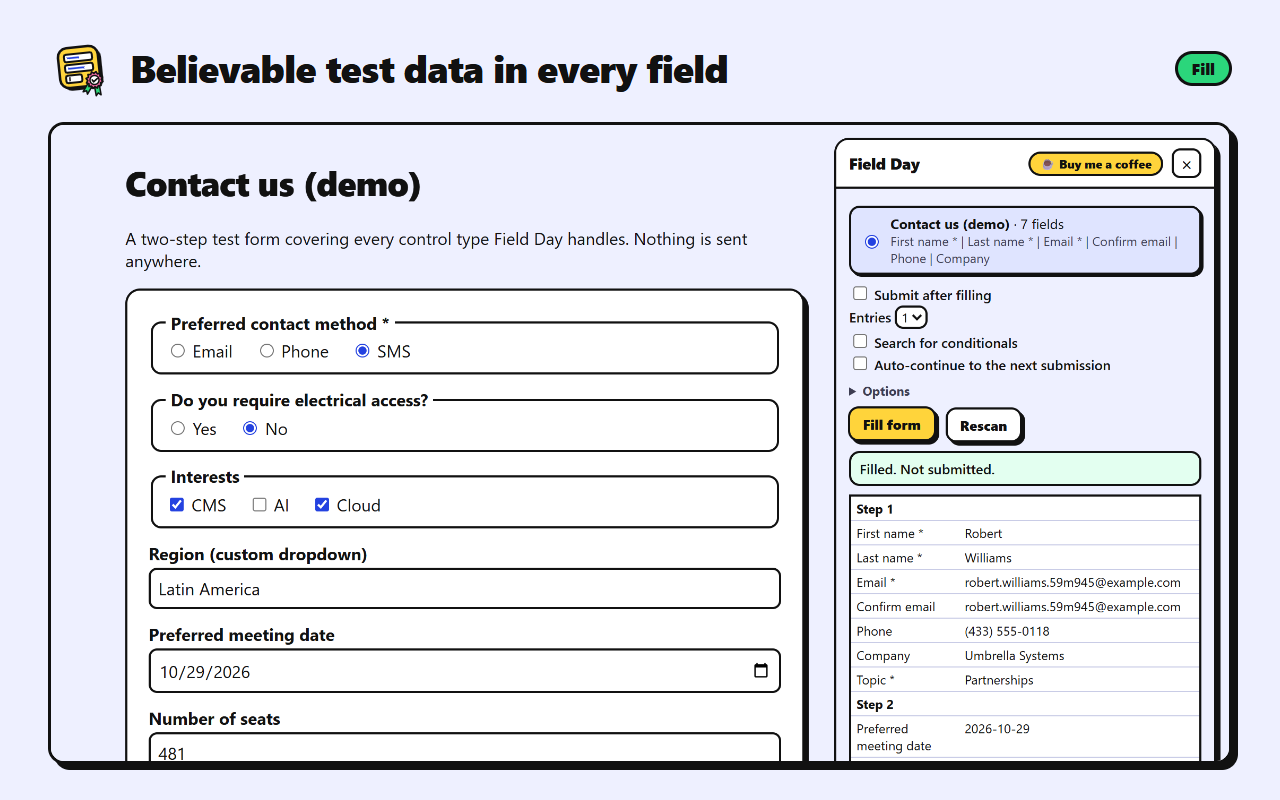
Field Day fills out web forms with realistic test data, clicks through multi-step forms, finds conditional fields, and submits. It pauses for you when there's a CAPTCHA.
What it does
-
Fill
Every kind of field
- Believable names, emails, phone numbers, addresses and messages
- Random picks in dropdowns, radio buttons and checkboxes, including custom dropdowns
- Dates, numbers, sliders and file uploads
- Ticks required boxes and skips hidden honeypot fields
-
Submit
Real-world forms
- Clicks "Next" through multi-step forms
- Reaches forms embedded from other sites, such as HubSpot
- Waits for you to solve a CAPTCHA, then submits
- Tells you whether the submission went through
-
Branch
Every path through the form
- Finds fields that only appear for certain answers
- Plans the fewest runs that cover every branch
- Runs several entries back to back with auto-continue
- Your own email pattern and pinned values for any field
Two ways to use it
-
Recommended
Browser extension
For Edge and Chrome. Right-click any page and choose Field Day: fill a form on this page, or click its toolbar button. It reaches forms embedded from other websites, and its panel reopens by itself when a test reloads the page.
Coming soon to the Chrome Web Store and Edge Add-ons. Until then, install it from the source.
-
For repeat runs
Local tool
Enter a URL and it handles the rest with Playwright, including embedded forms and trusted clicks. Needs Node.js 20 or newer.
git clone https://github.com/r3hab-media/field-day.git
cd field-day
npm install
npm run ui
Free, with no ads or tracking
Field Day is a one-person project. If it saves you time, you can buy me a coffee to say thanks.
Before you start
Only test forms you own or have permission to test. Every submission is real: it may send emails, create records, or notify people. Untick "Submit after filling" to fill a form without sending it.